Start from the phrasing you already sang.
The lead stays in front. That makes it easier to hear where a harmony should answer the line, follow it closely, or stay out of the way.
Vocal Harmonizer
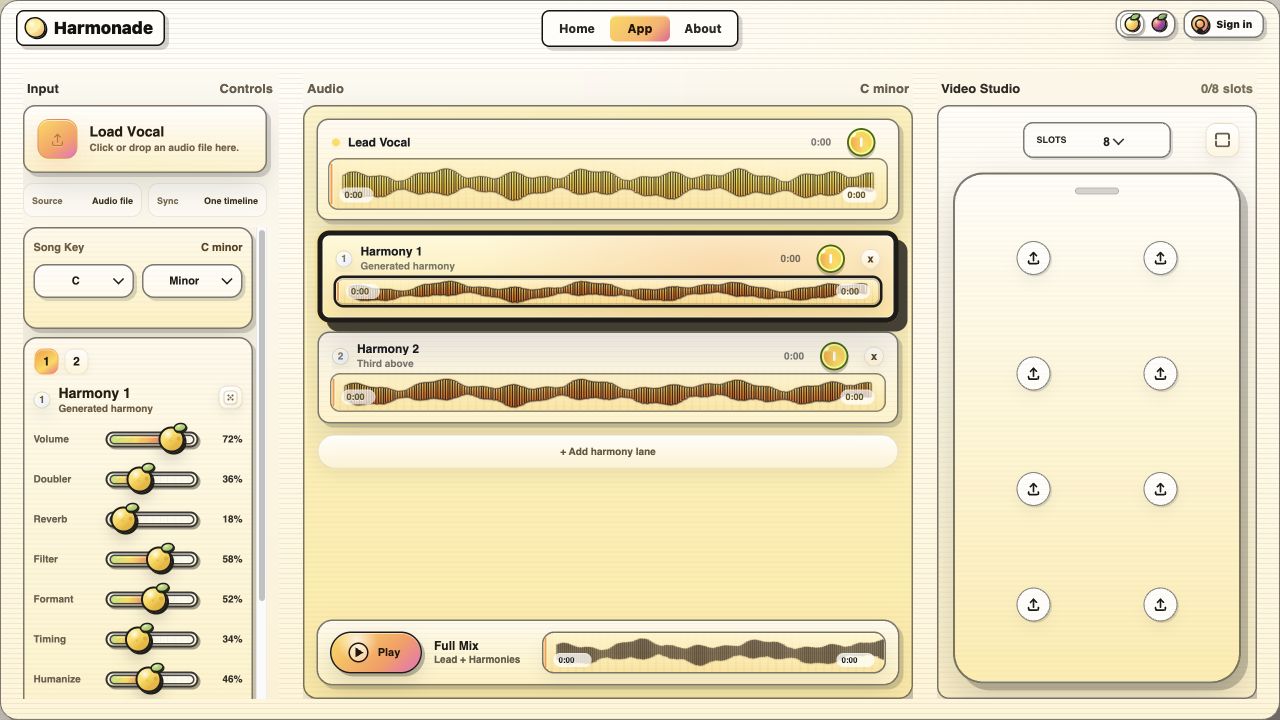
Harmonade is built for singers and producers who want to start with one lead vocal, sketch the harmony roles quickly, and keep the result flexible instead of locked into a mystery render.
Search intent
In practice, this intent usually means three things: start from one voice, hear a believable stack quickly, and keep enough control to stop the result from sounding fake. Harmonade is strongest when you want speed without giving up the arrangement decisions that still matter.
If you already know you need a softer support bed, go deeper on AI backing vocals. If the real problem is just thickness on the same melody, jump to vocal doubles.
Workflow
The lead stays in front. That makes it easier to hear where a harmony should answer the line, follow it closely, or stay out of the way.
Use roles like tight double, upper lift, lower anchor, or wide bed so every added voice has a reason to exist.
A stack that sounds big in solo still has to survive a short-form edit, a fast hook, and a clear lyric line in context.
Best fits
If the hook needs more lift but you do not want to sing six extra passes first, this workflow gives you a practical first stack to shape.
Try a sparse support plan, then push into a bigger chorus without rebuilding the whole session from scratch.
Harmonade is useful when the end target is not only a mix, but also a short visual export that still needs lyric clarity.
Related pages
Use these pages when the search job is narrower than a full harmonizer workflow.
Ready